Everyday
The formats behind every phone shot, screenshot and web download.
- JPEG
- PNG
- WebP
- GIF
- BMP
Free · Private · Works offline
EXIF Frame Maker turns the camera, lens and exposure data hidden in every file into a clean, shareable frame. JPG, HEIC and RAW welcome — nothing ever leaves your device.
Frame style
Strap
Rendered live in your browser
Formats
Drop in whatever your camera, phone or editor produced. We read the metadata, decode the pixels and hand you back a finished JPG, PNG, WebP or AVIF.
The formats behind every phone shot, screenshot and web download.
iPhone HEIC, AVIF and JPEG XL decode right in the browser — no converter, no codec packs.
Layered PSD composites, TIFF scans and crisp SVG artwork.
Canon, Nikon, Sony, Fujifilm, Panasonic, Olympus, Pentax, Leica, Samsung and more.
Nearly every RAW file carries a full-size JPEG preview written by the camera itself. We pull it out in a blink, read your real EXIF, and frame it — so you get the camera’s own colors in seconds, with no RAW development step.
Frames
From a quiet one-line caption to a Polaroid, a museum print or a 35mm film strip. Every card below is rendered live from the same photo by the real engine.
No frame at all. Just resize, crop and convert.
An even border around the photo, with optional rounded corners.
Instant-film look with a handwritten caption and date.
Wide museum margins and a small wall label with title and gear.
Your photo floats over a softly blurred copy of itself.
A single quiet caption: camera, lens and settings.
Camera and lens on top, exposure settings underneath.
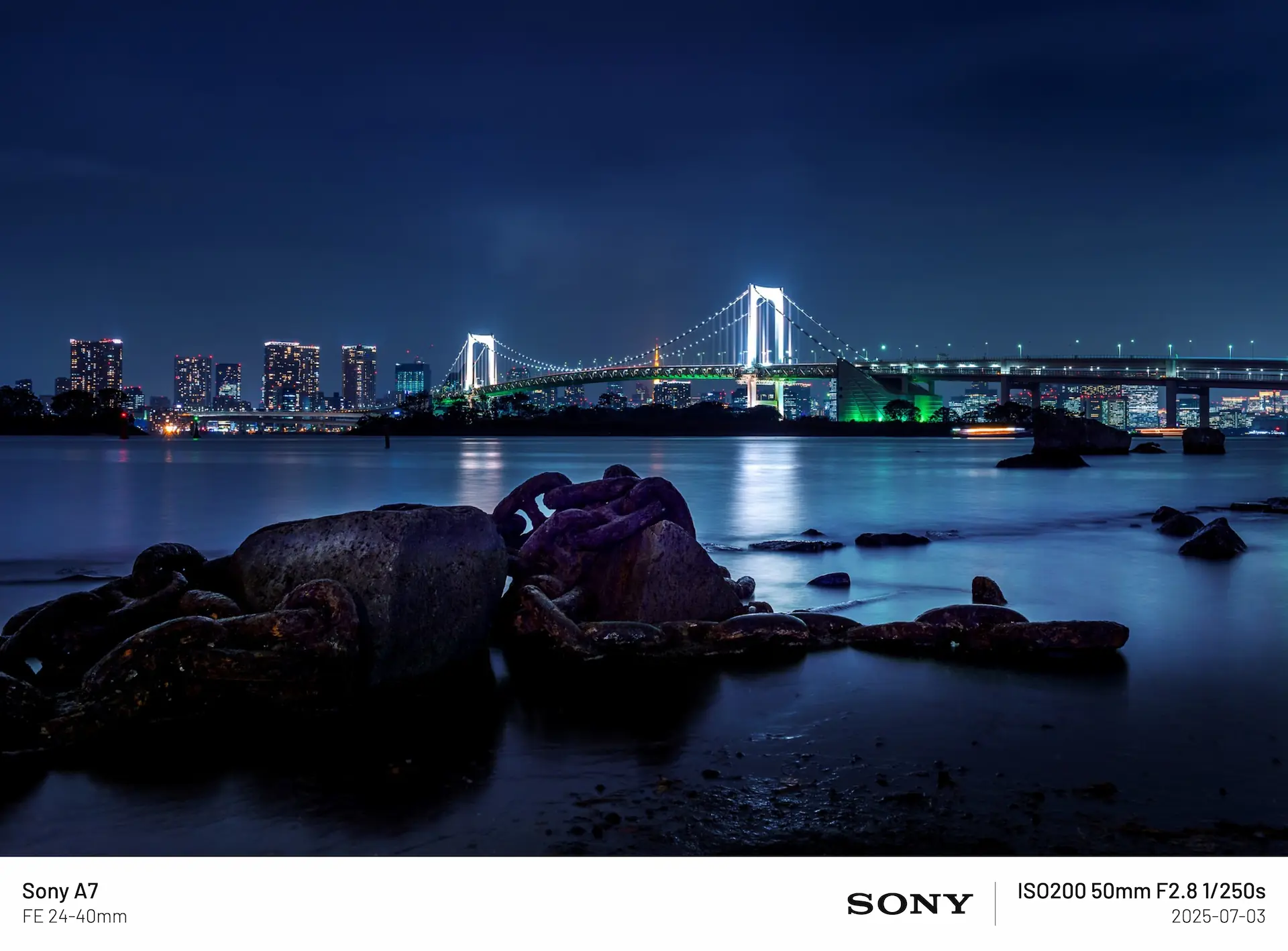
Camera and lens on the left, settings, brand logo and date on the right.
“Shot on” camera on the left, exposure on the right.
A big centered “shot on” line with your signature above.
Generous margins and tiny, airy letter-spaced text.
Magazine-style serif title with a monospaced data column.
Text on a soft gradient across the bottom of the photo.
A small glass pill with the brand logo and your settings.
Orange LED date stamp like a 90s point-and-shoot.
Camera HUD with corner brackets, AF box and live readout.
Huge condensed type over the photo, with place and date.
Widescreen 2.39:1 with letterbox bars and a subtitle.
35mm negative with sprocket holes and edge markings.
Two ways to work
Pick a frame, flip light or dark, export.
Control every pixel of the frame.
How it works
The whole editor runs on your device. Close the tab and everything is gone.
Drop one photo or a hundred. JPG, HEIC, RAW, TIFF — we read the camera info straight from the file.
Choose from 19 frame styles, set the ratio for Instagram or Stories, and tweak colors, fonts and fields.
Export JPG, PNG, WebP or AVIF at full resolution. Batches arrive as a single ZIP.
Features
Frame a whole shoot at once. Apply one style to every photo and download a single ZIP.
Camera, lens and exposure data is written back into the new file. GPS is never included.
Photos are decoded and rendered locally. There is no server to upload to, and no account.
Add it to your home screen or dock. Once loaded it keeps working without a connection.
Instagram 4:5, Stories 9:16, 1:1, 3:2, 16:9 — crop to fit or keep the full photo inside.
Switch typefaces, tune every color and choose which camera details appear.
Add your name or handle in any corner, with your own opacity, size and font.
Fully translated, including right-to-left Arabic. Your language is one click away.
FAQ
Yes. It is completely free, with no sign-up, no watermark and no limit on the number of photos. Your exports are never stamped with our branding.
No. Every step — reading EXIF, decoding, drawing the frame and encoding the result — happens in your browser. Your photos never touch a server, and closing the tab clears everything.
Drop your photo into the editor. The camera model, lens, focal length, aperture, shutter speed, ISO and date are read automatically and drawn into the frame you choose. Missing a value, such as on a scanned or edited image? You can type it in yourself.
Yes. HEIC and HEIF are decoded inside the page, so you do not need Windows codec packs or a separate HEIC to JPG converter. Export as JPG, PNG, WebP or AVIF when you are done.
Yes — DNG, CR2, CR3, NEF, ARW, RAF, ORF, RW2, PEF, SRW, 3FR, IIQ, X3F and more. We extract the full-size JPEG preview embedded by the camera and read the real EXIF, so no RAW development is needed. On a few cameras the embedded preview is smaller than the sensor resolution.
By default, yes. Camera, lens, exposure and date are written into the exported JPG or PNG so the file stays searchable in your library. GPS location is never written, and you can switch EXIF off entirely.
Pick the 4:5 ratio for feed posts (1080×1350 is the sweet spot), 1:1 for squares and 9:16 for Stories and Reels. Choose "cover" to crop the photo to fit, or "contain" to keep the whole shot inside the frame.
Yes. Add as many photos as you like, choose one style, and export everything together as a ZIP. You can still fine-tune any single photo before you download.
Yes. The editor is built for touch and works in Safari, Chrome and other modern browsers. Add it to your home screen to use it like an app, even offline.
Screenshots, exports from some editors, and images saved by messaging apps often have their EXIF stripped. Open the info panel and enter the camera, lens and settings by hand — the frame updates instantly.
You decide. Export at the original resolution with quality up to 100%, or downsize for the web. Very large images are scaled only when the browser’s canvas limit requires it.
Yes. After the first visit the app is cached, so you can open it and frame photos with no connection. Fonts and decoders you have used before stay available too.
Free, private and a few seconds away. No account, no upload, no watermark.